
The complete workflow
From the first call
to getting paid faster
One platform for the whole restoration workflow. The crew captures on mobile, AI drafts the scope and equipment list, and the office sends the invoice backup from the web.
Mobile for the field · Web for the office · Nothing typed twice
RocketPlan | rocketplan.ai
01 / 15
The result
This is what your adjuster receives
Built from the job and sent as a link. The slides that follow show how each step builds it.
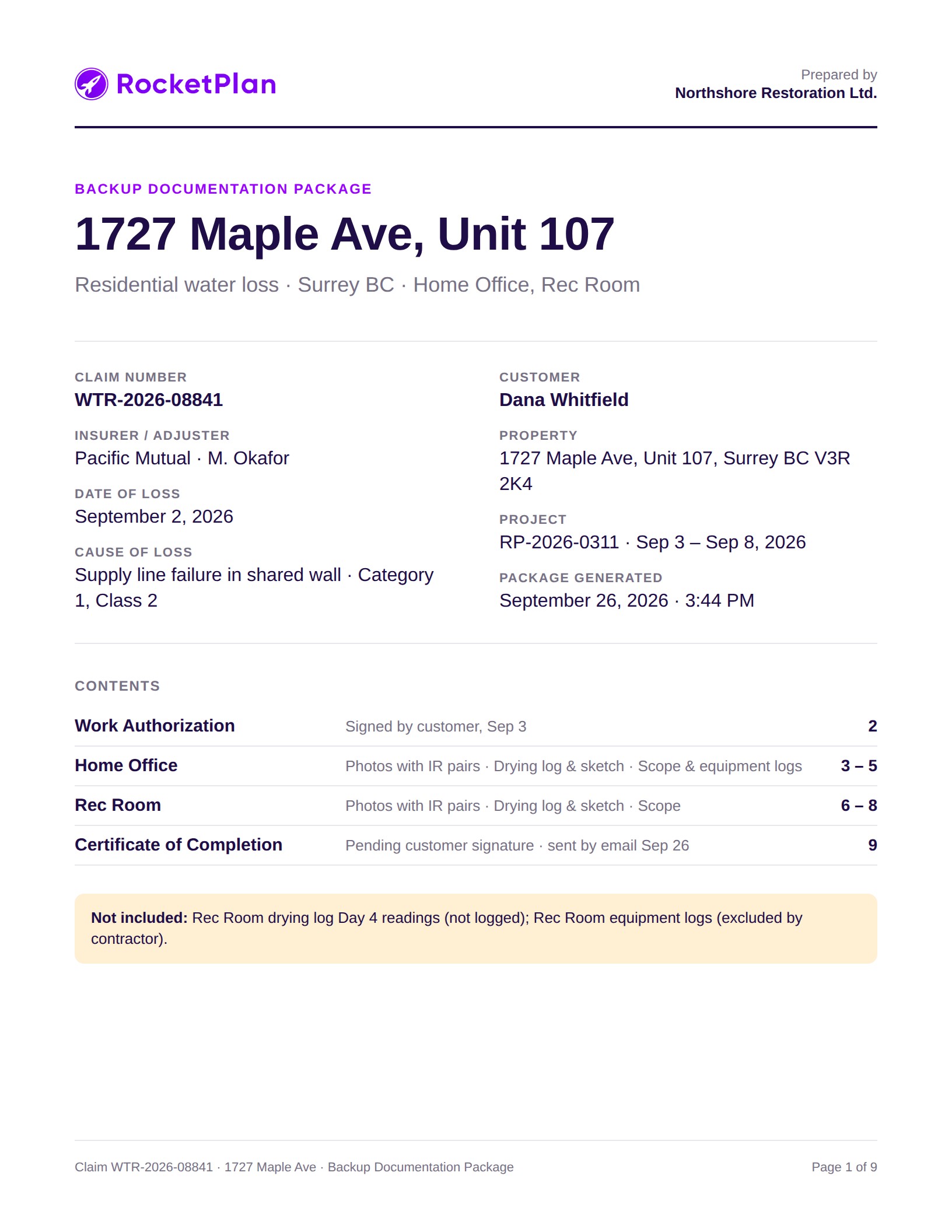
Cover & contents
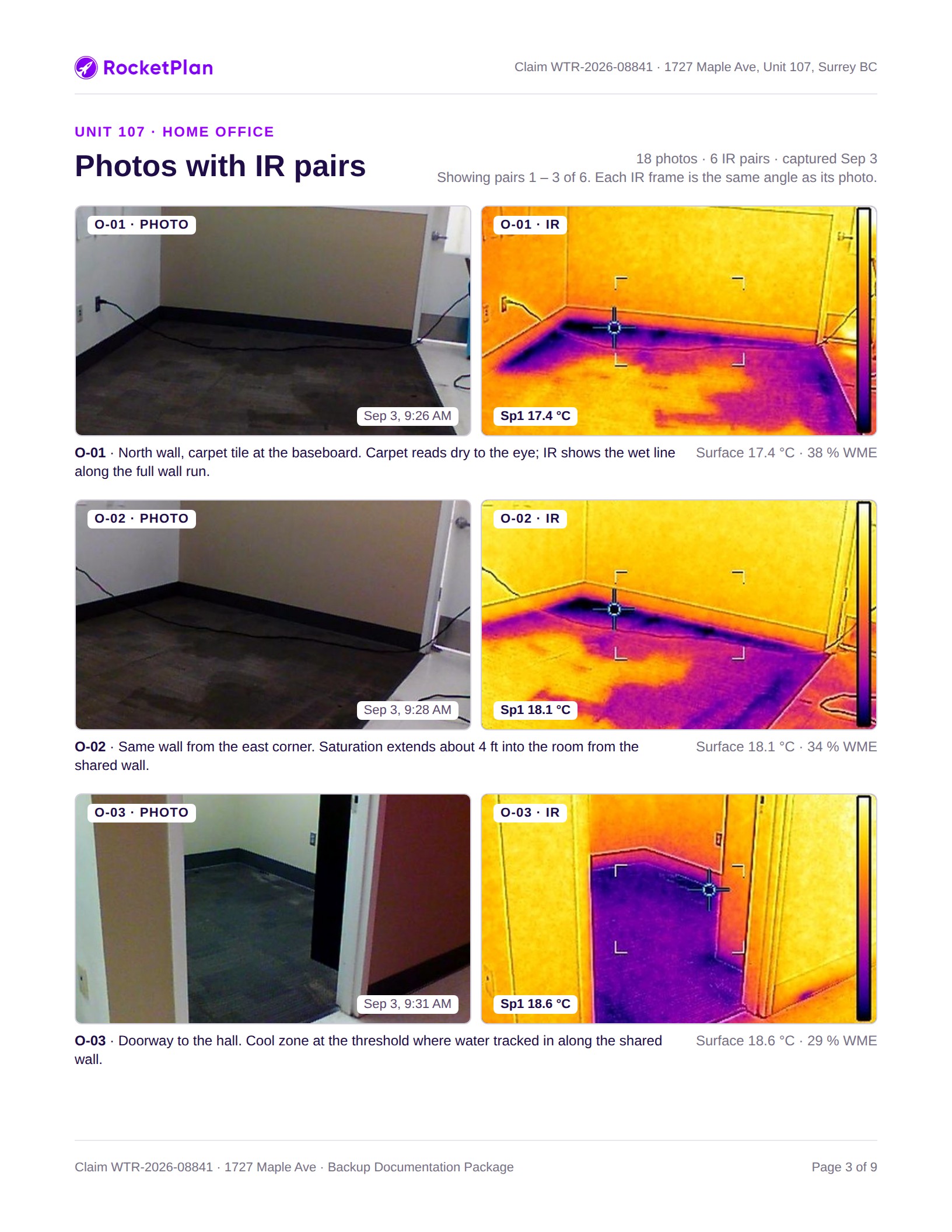
Photos + IR, side by side
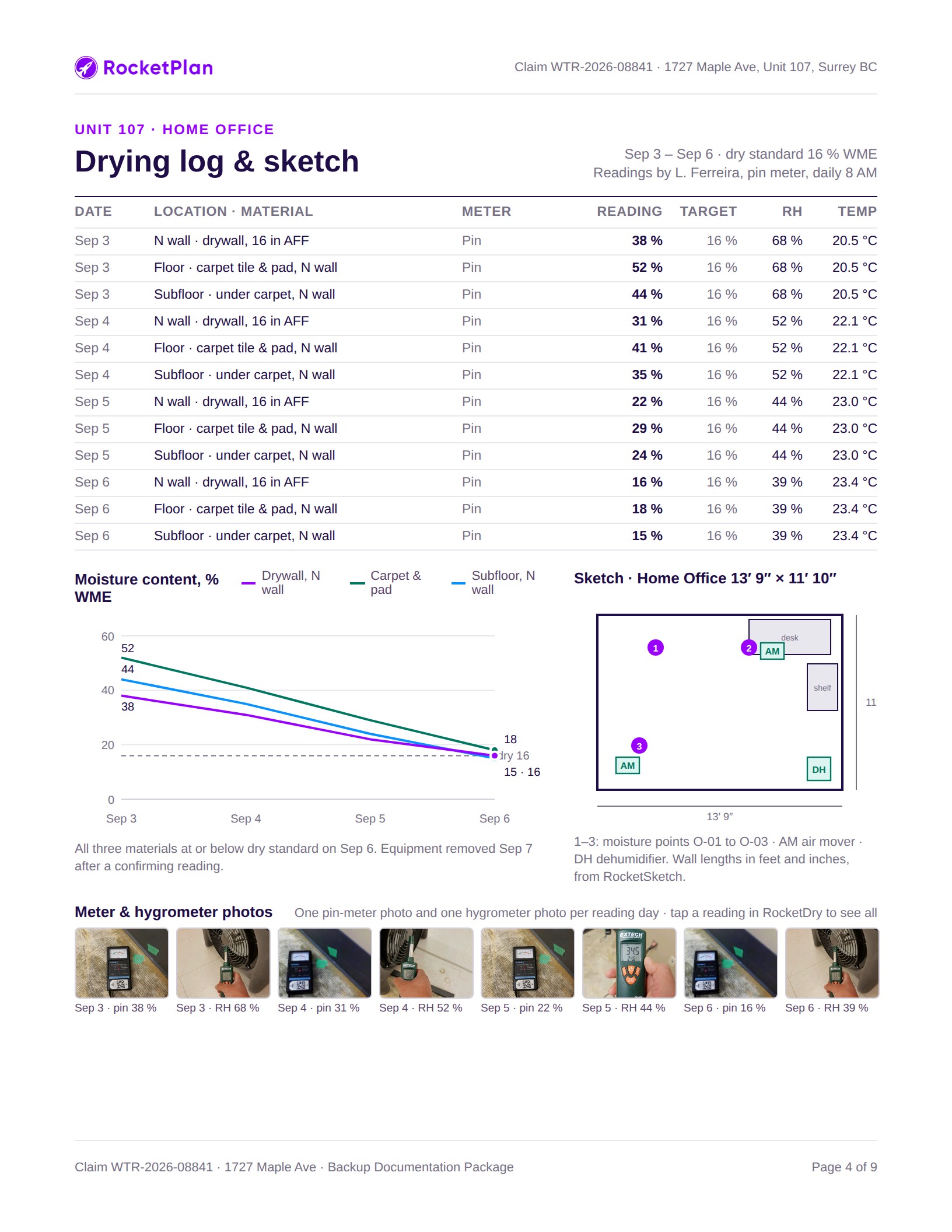
Drying log & sketch
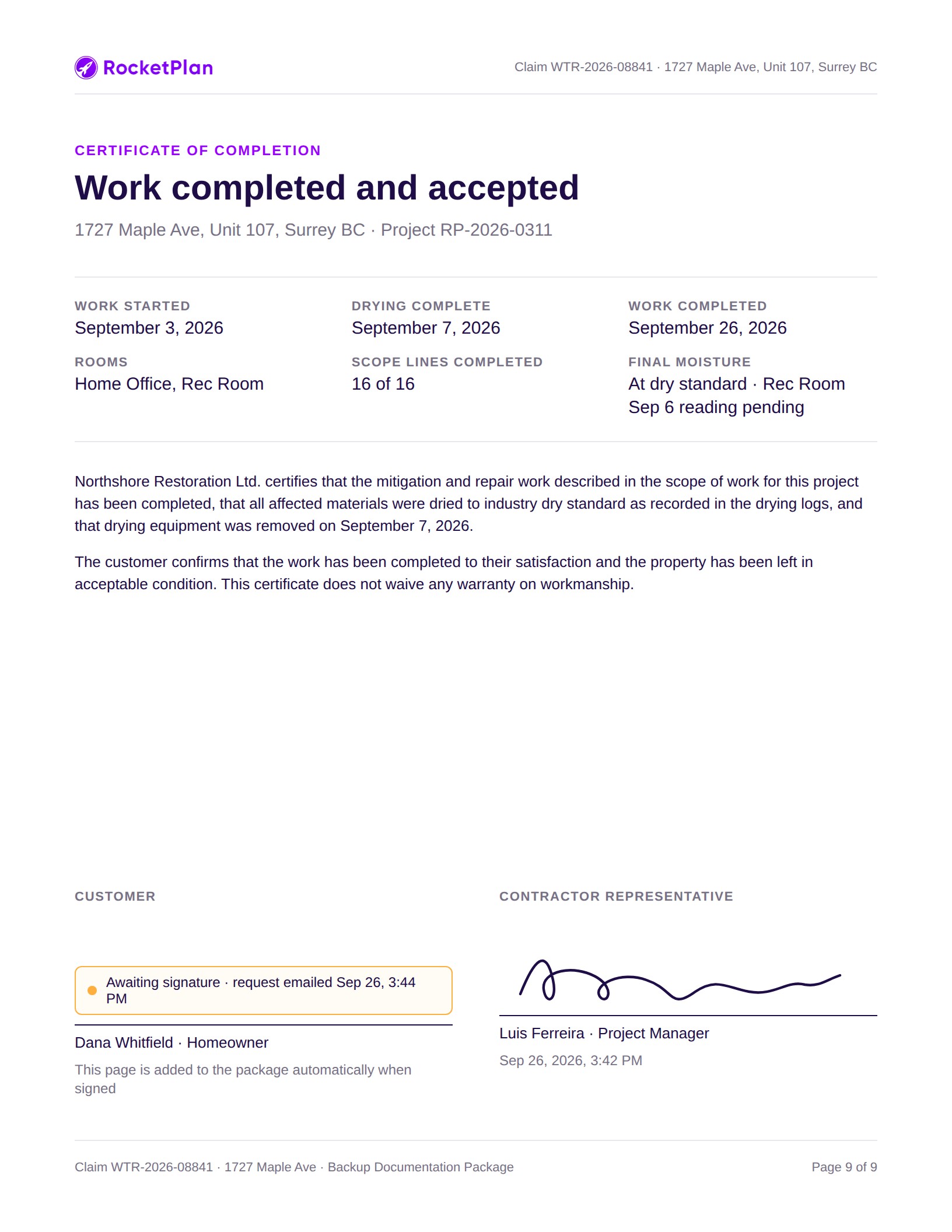
Certificate of Completion
reports.rocketplan.ai/p/7k2m9 · opens in any browser, no login
RocketPlan | rocketplan.ai
Sample data for illustration
02 / 15
The workflow
A few easy steps, nothing typed twice
Each step hands its data to the next, from the first call to the paid invoice.
Intake
RocketCall AI
Answers the call and creates the job
RocketPay
Signed authorization and deductible
On site
RocketScan
Photos + IR, filed by room
RocketDry
Readings against a dry goal
RocketSketch
Measured floor plan
Plan the work
AI
RocketScope AI
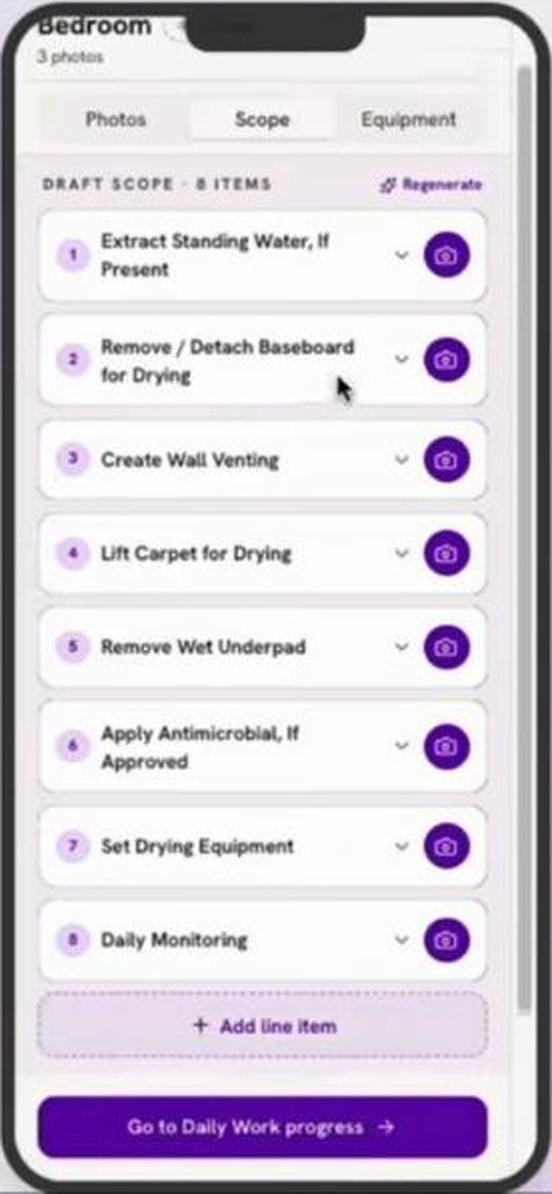
AI drafts the scope from the scan
AI
RocketEquipment AI
AI builds the equipment list
Report and bill
Reporting Matrix
Four reports, one set of parts
Invoice Backup Package
Sent as a link, always current
Run the business
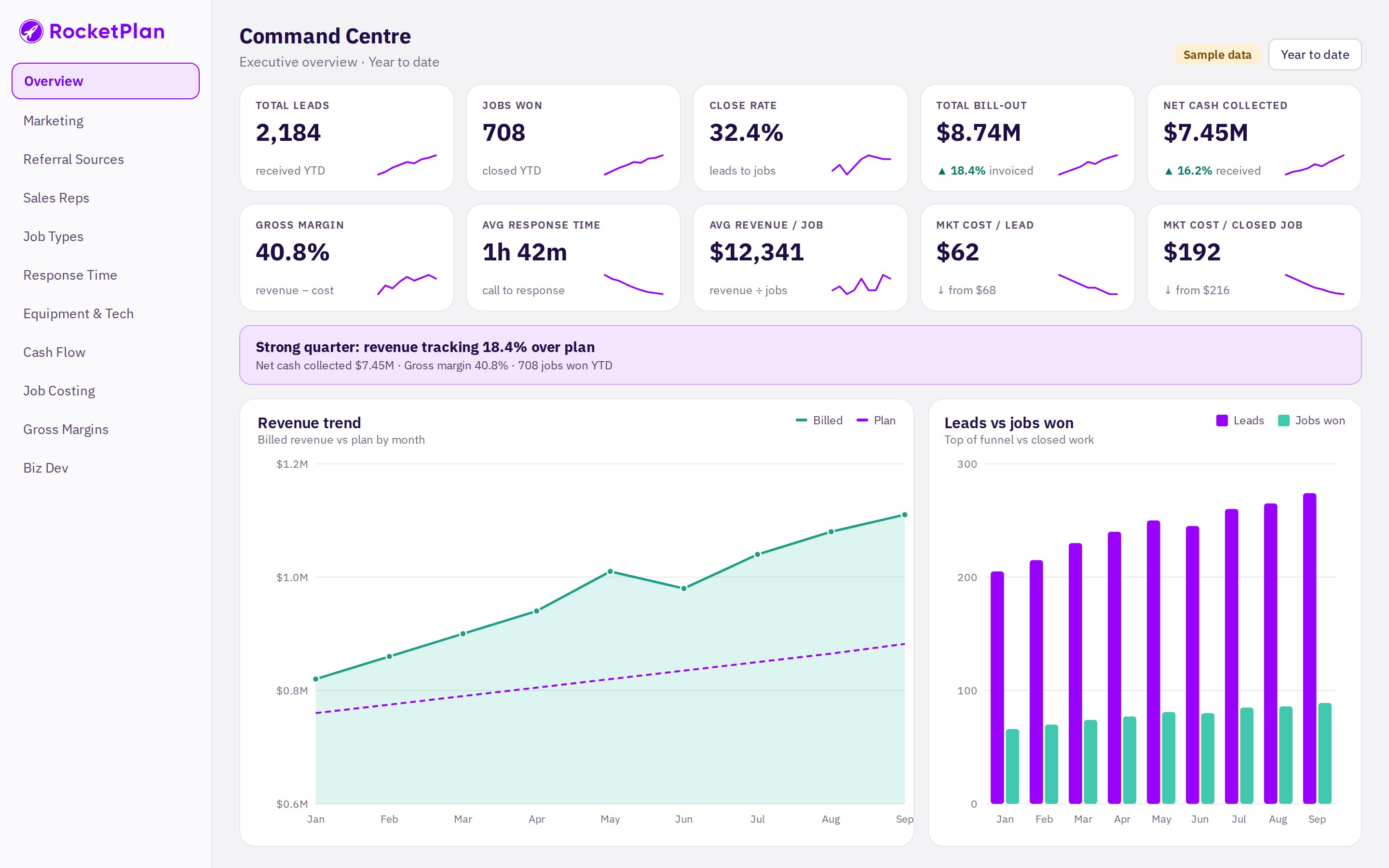
Command Centre
Leads, jobs, cash and margin
RocketPlan | rocketplan.ai
Sample data for illustration
03 / 15
AI scope and equipment
Scan the room. AI drafts the scope and the equipment list.
Photos, thermal images and moisture readings go in. A draft scope of work and equipment list come out, ready to confirm.
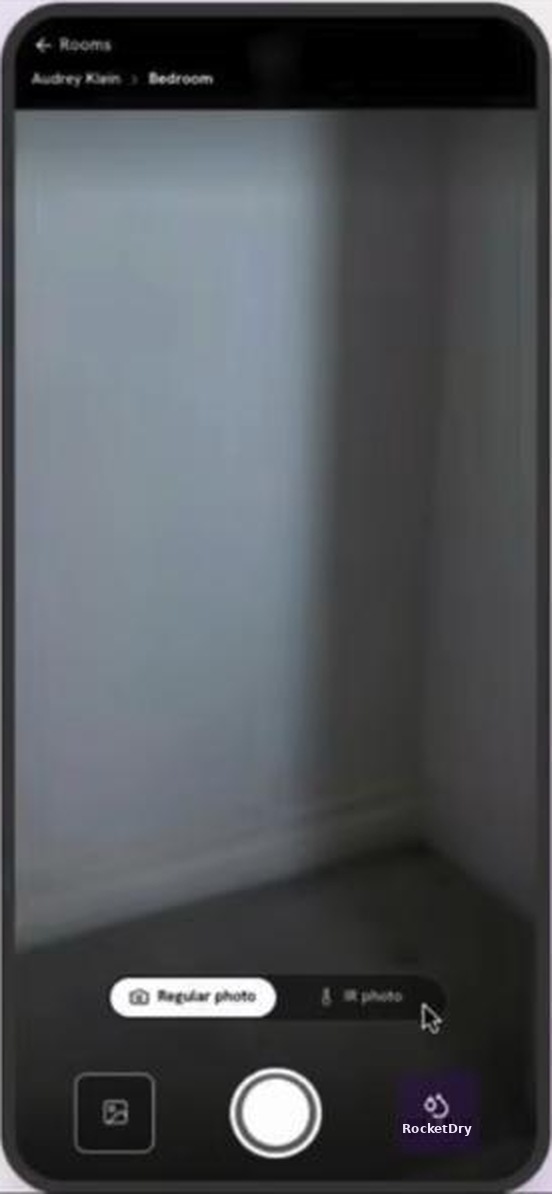
Take the photo
Add the thermal view
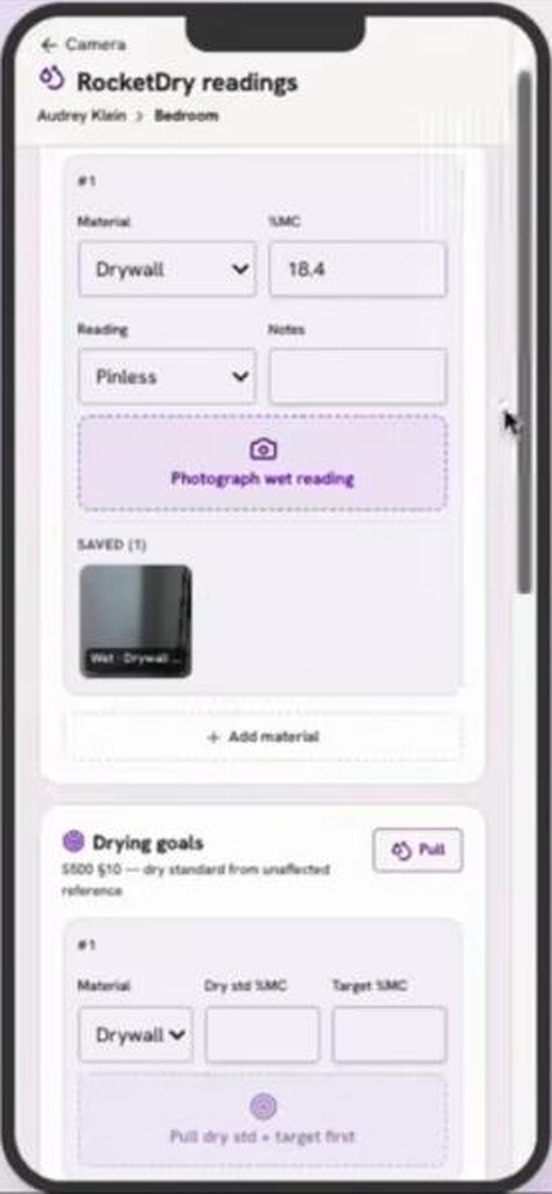
Log the reading
AI drafts the scope
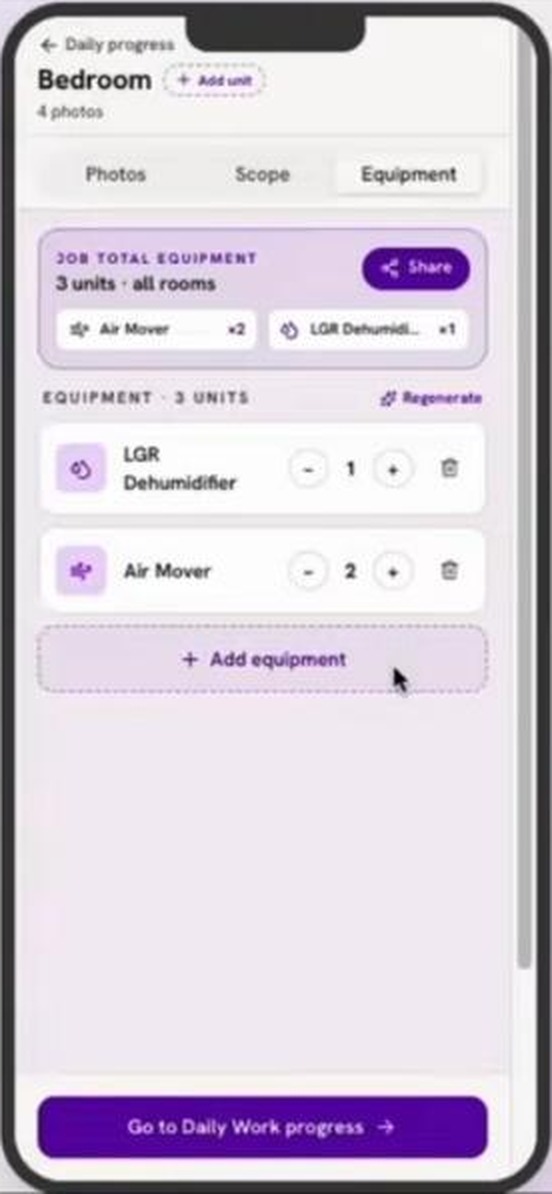
AI builds the equipment list
RocketPlan | rocketplan.ai
AI drafts are reviewed and confirmed by your team
04 / 15
Intake
RocketCall AI
Add-on
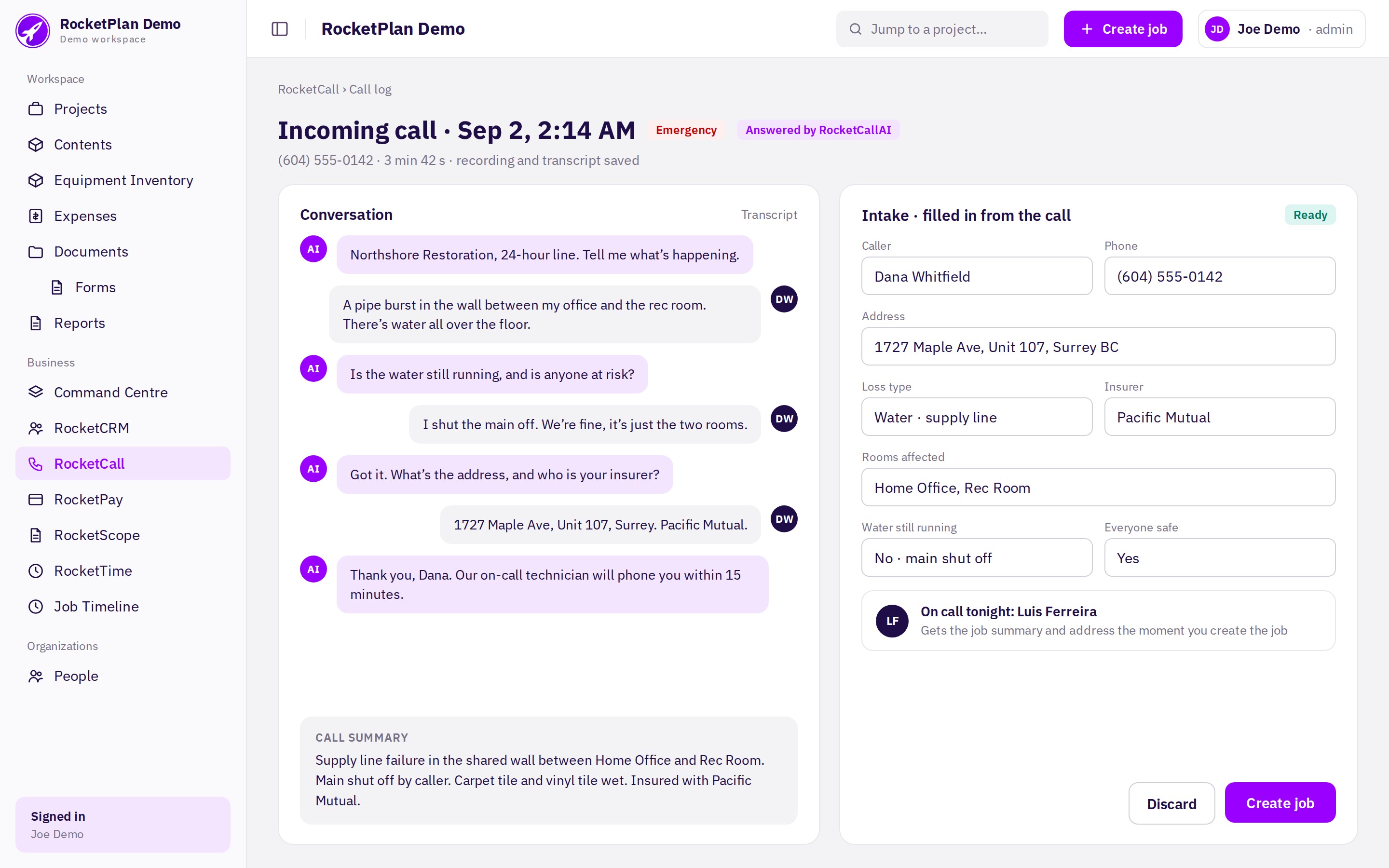
The 2 AM call becomes a job, not a voicemail
Customer
Calls your number at any hour. RocketCall AI answers in your company’s name.
RocketPlan
Captures caller, address, loss and insurer, then alerts your on-call tech.
Replaces
Missed calls, voicemail tag and re-typing notes into the CRM.
Next →
One tap creates the job. RocketPay already has the customer and address.
RocketPlan | rocketplan.ai
Sample data for illustration
05 / 15
Intake
RocketPay
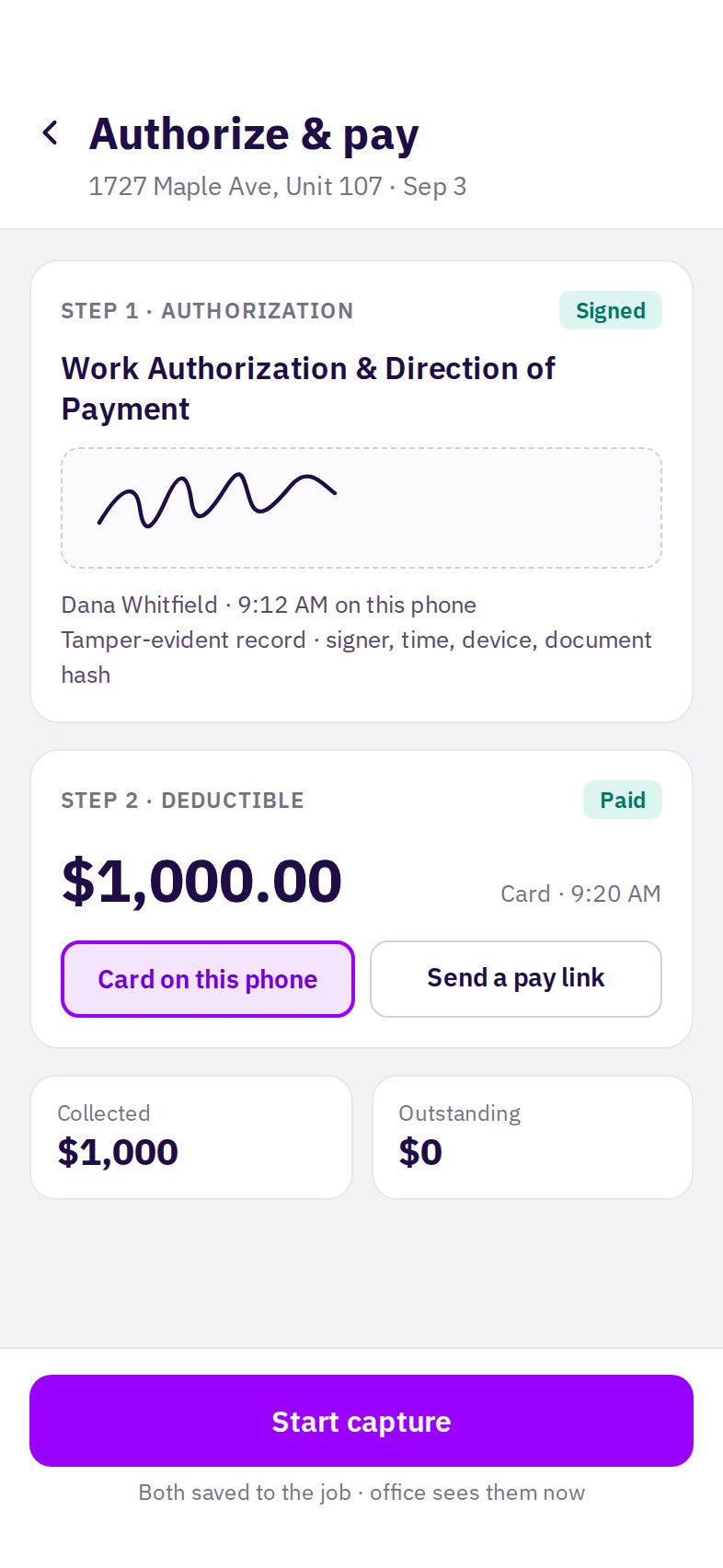
Authorized and paid before the first photo
Crew
The customer signs the Work Authorization on the tech’s phone.
RocketPlan
Collects the deductible by card or pay link. Both are saved to the job.
Replaces
Paper forms, chasing deductibles and collection calls from the office.
Next →
The tech taps Start capture and RocketScan opens on the same job.
RocketPlan | rocketplan.ai
RocketPay activation and approval requirements apply.
06 / 15
On site
RocketScan
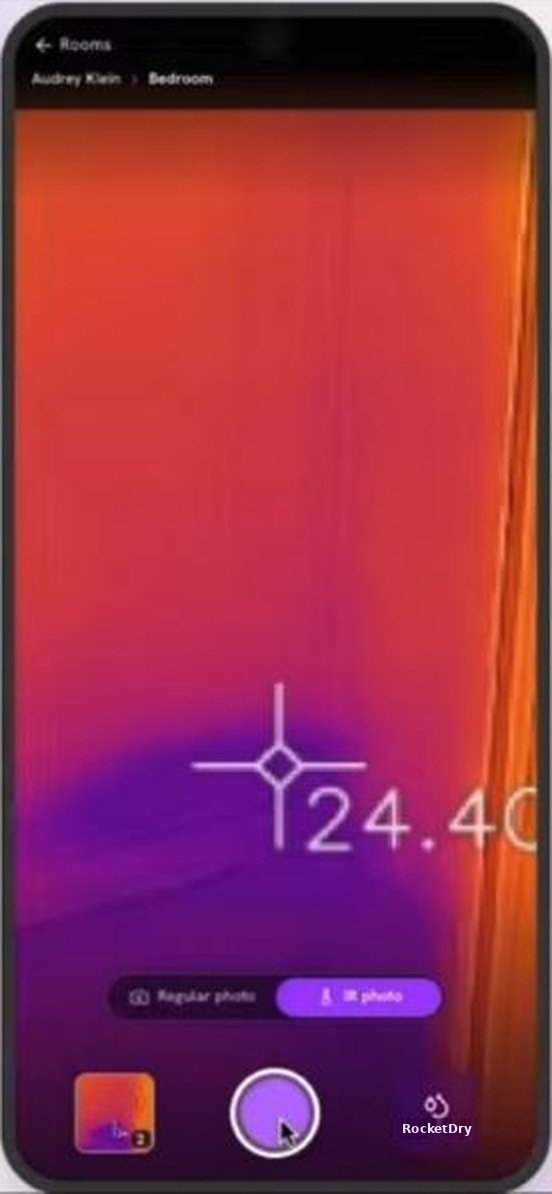
Photos and thermal, filed by room as you shoot
Crew
Adds the room, takes the photo, flips to IR for the thermal view.
RocketPlan
Pairs photo and thermal image and files both under the room.
Replaces
Camera rolls, renaming files and sorting photos at night.
Next →
Moisture readings are logged in RocketDry from the same screen.
Regular photo
Thermal view, same spot
RocketPlan | rocketplan.ai
Sample data for illustration
07 / 15
On site
RocketDry
Moisture readings, with proof, against a dry goal
Crew
Enters the material and reading, and photographs the meter.
RocketPlan
Tracks every point against its dry standard and flags a missed day.
Replaces
Clipboard logs and spreadsheets typed up after the job.
Next →
Next, each room is measured in RocketSketch.
Reading with meter photo
RocketPlan | rocketplan.ai
Sample data for illustration
08 / 15
On site
RocketSketch
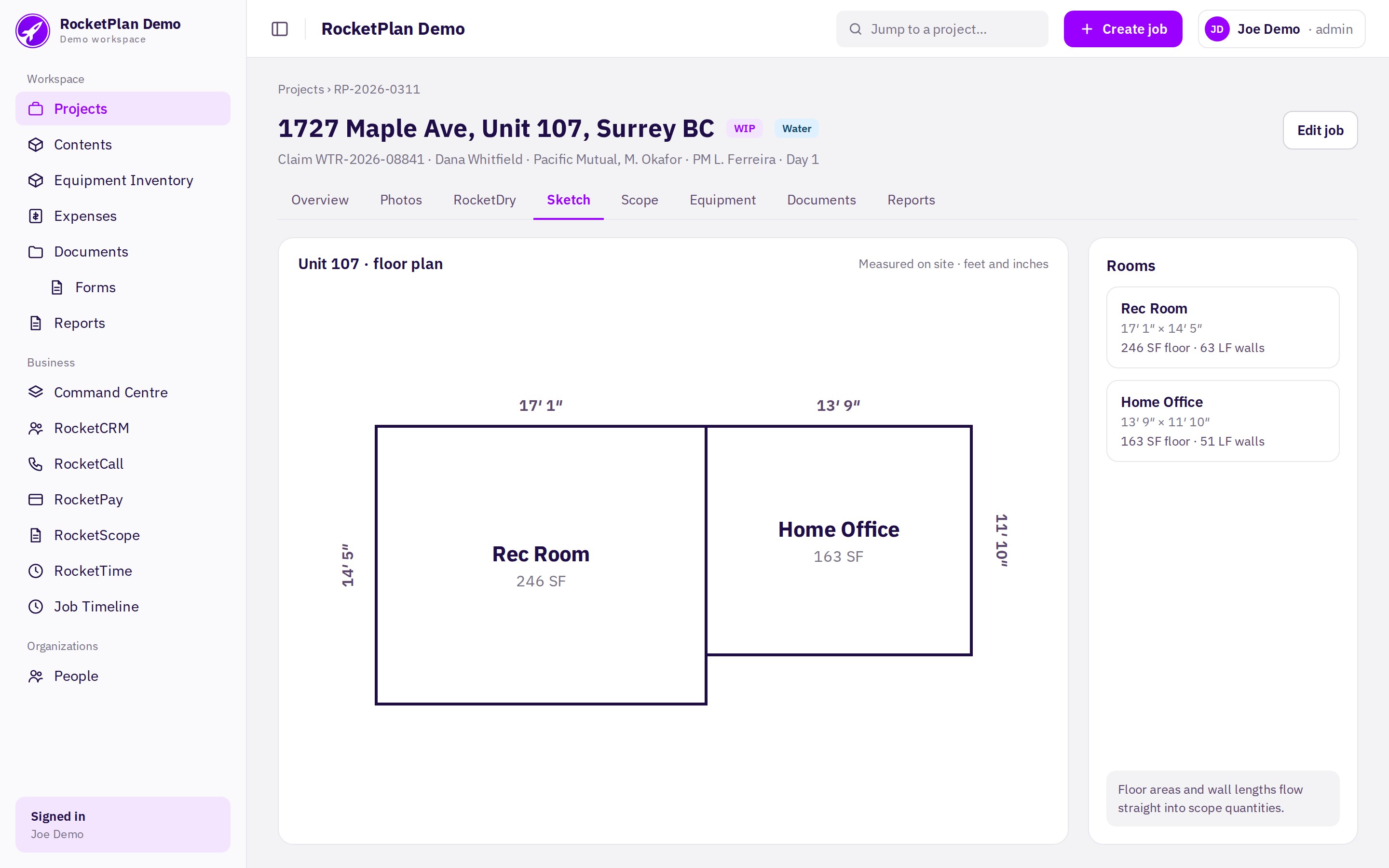
A measured floor plan, drawn on site
Crew
Measures each room. Walls in feet and inches.
RocketPlan
Draws the plan to scale with room names, dimensions and floor areas.
Replaces
Hand sketches and redrawing the unit back at the office.
Next →
With photos, thermal, readings and the plan in, AI drafts the scope.
RocketPlan | rocketplan.ai
Sample data for illustration
09 / 15
Plan the work
RocketScope AI
AI drafts the scope from the scan
Tech
Taps Generate scope with AI once photos and readings are in.
RocketPlan
AI reads the photos, thermal images and readings and drafts each line of work.
Replaces
Writing the scope from memory and a camera roll.
Next →
The same capture drives the AI equipment list.
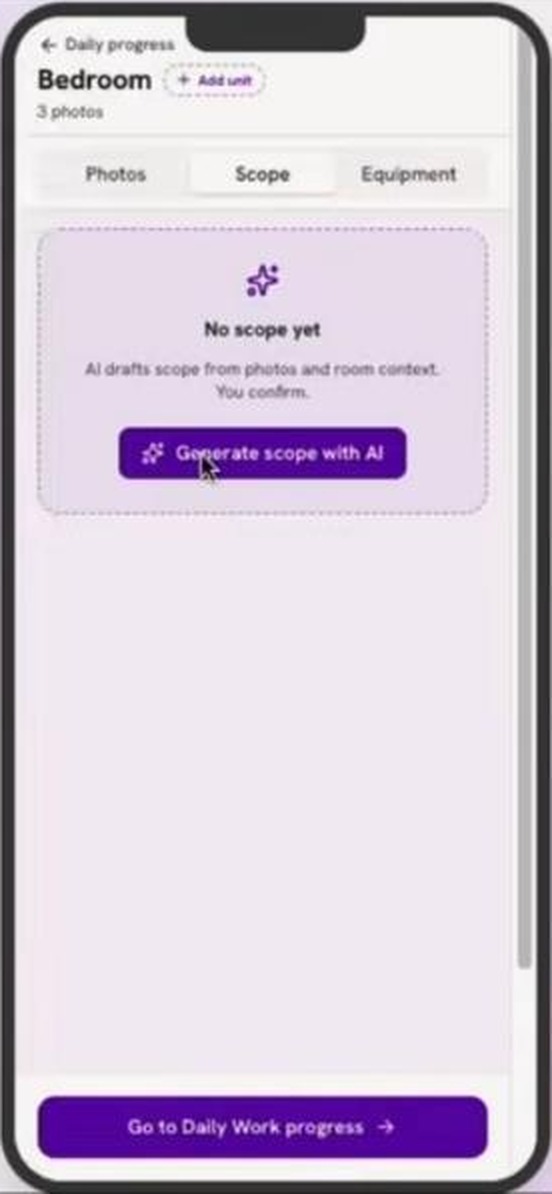
One tap
Draft scope to confirm
RocketPlan | rocketplan.ai
Sample data for illustration
10 / 15
Plan the work
RocketEquipment AI
AI builds the equipment list
Tech
Taps Generate equipment list with AI, then adjusts the counts.
RocketPlan
Prescribes units by room size and loss category, then tracks days on site.
Replaces
Guessing equipment and rebuilding tallies at billing time.
Next →
Equipment Logs drop into every report automatically.
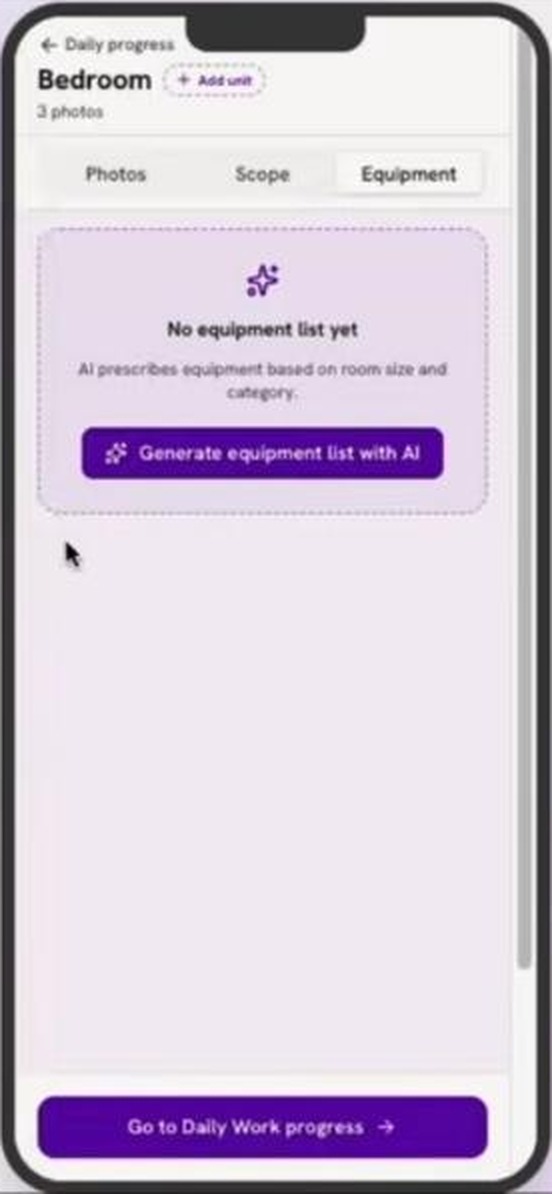
One tap
List to adjust and share
RocketPlan | rocketplan.ai
Sample data for illustration
11 / 15
Report and bill
Reporting Matrix
Four reports, one set of components
PM
Picks a report. Every component for that report is already in.
RocketPlan
Flags what is missing, like an unsigned form, with a one-tap fix.
Replaces
Assembling each report by hand from folders and emails.
Next →
The Invoice Backup Package is the fourth report: all eight components.
RocketPlan | rocketplan.ai
Sample data for illustration
12 / 15
Report and bill
Invoice Backup Package
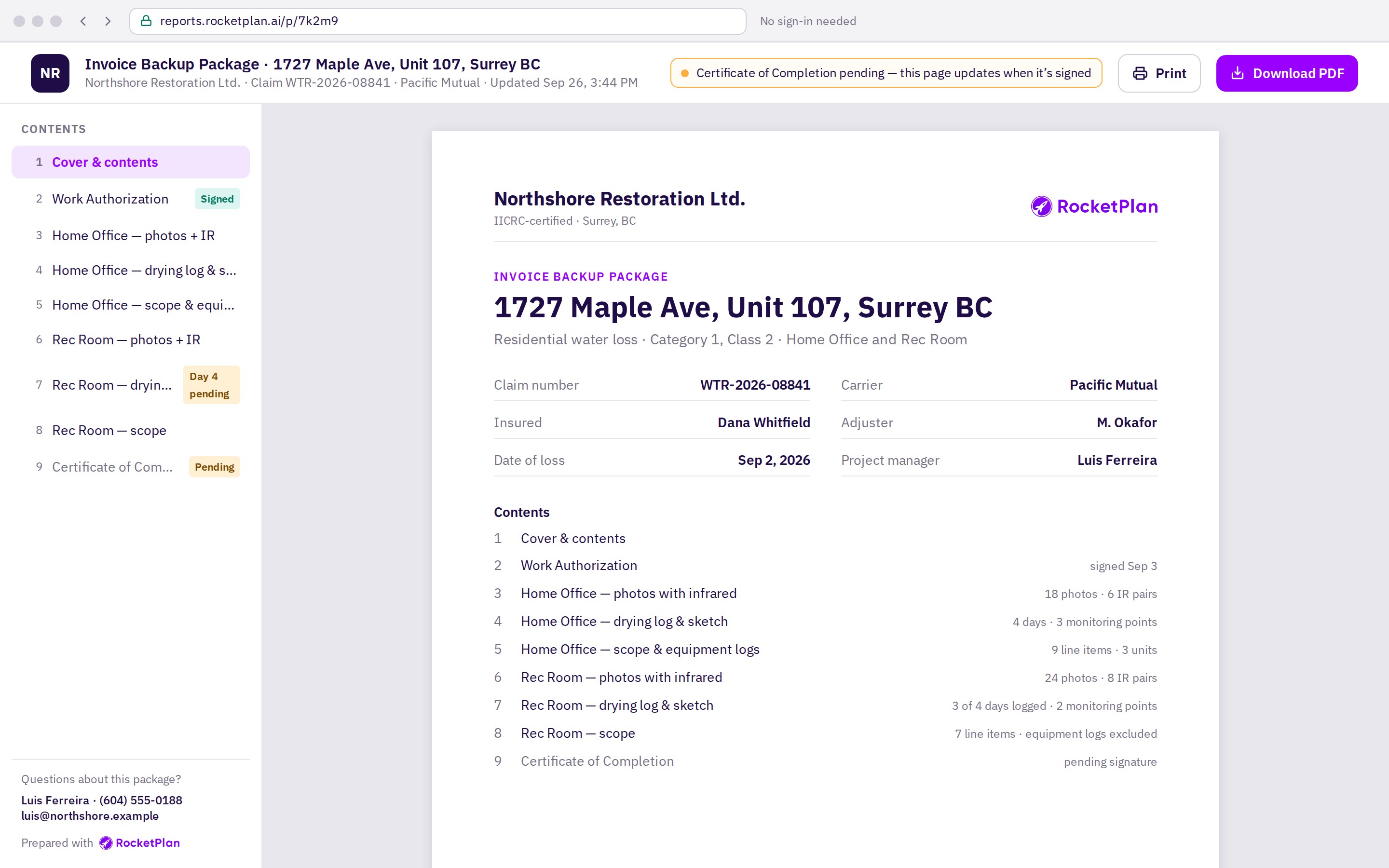
One package, sent as a link the adjuster opens
PM
Taps Send. The adjuster gets a link and opens it in a browser, no login.
RocketPlan
Keeps the page current, adds the certificate once signed and logs every open.
Replaces
Huge PDF attachments, zipped photos and “did you get it?” emails.
Next →
The invoice goes out with its backup. Command Centre tracks it to paid.
RocketPlan | rocketplan.ai
Sample data for illustration
13 / 15
Run the business
Command Centre
Every job rolls up into one owner’s view
Owner
Sees jobs, cash collected and margin without asking anyone.
RocketPlan
Rolls up leads, jobs won, bill-out, cash collected, margin and response time.
Replaces
Friday spreadsheets and chasing PMs for status.
Then →
Every number opens the jobs behind it.
RocketPlan | rocketplan.ai
Sample data for illustration.
14 / 15
Next step
See it on your own jobs
See the full workflow
A live walkthrough on mobile and web, from the call to the invoice backup.
Bring a recent job
We show you the package and scope it would have produced.
Get your own numbers
We run the time and cash-flow math with your volumes.
Book a walkthrough at rocketplan.ai
RocketPlan | rocketplan.ai
15 / 15